How to check a 3 wire
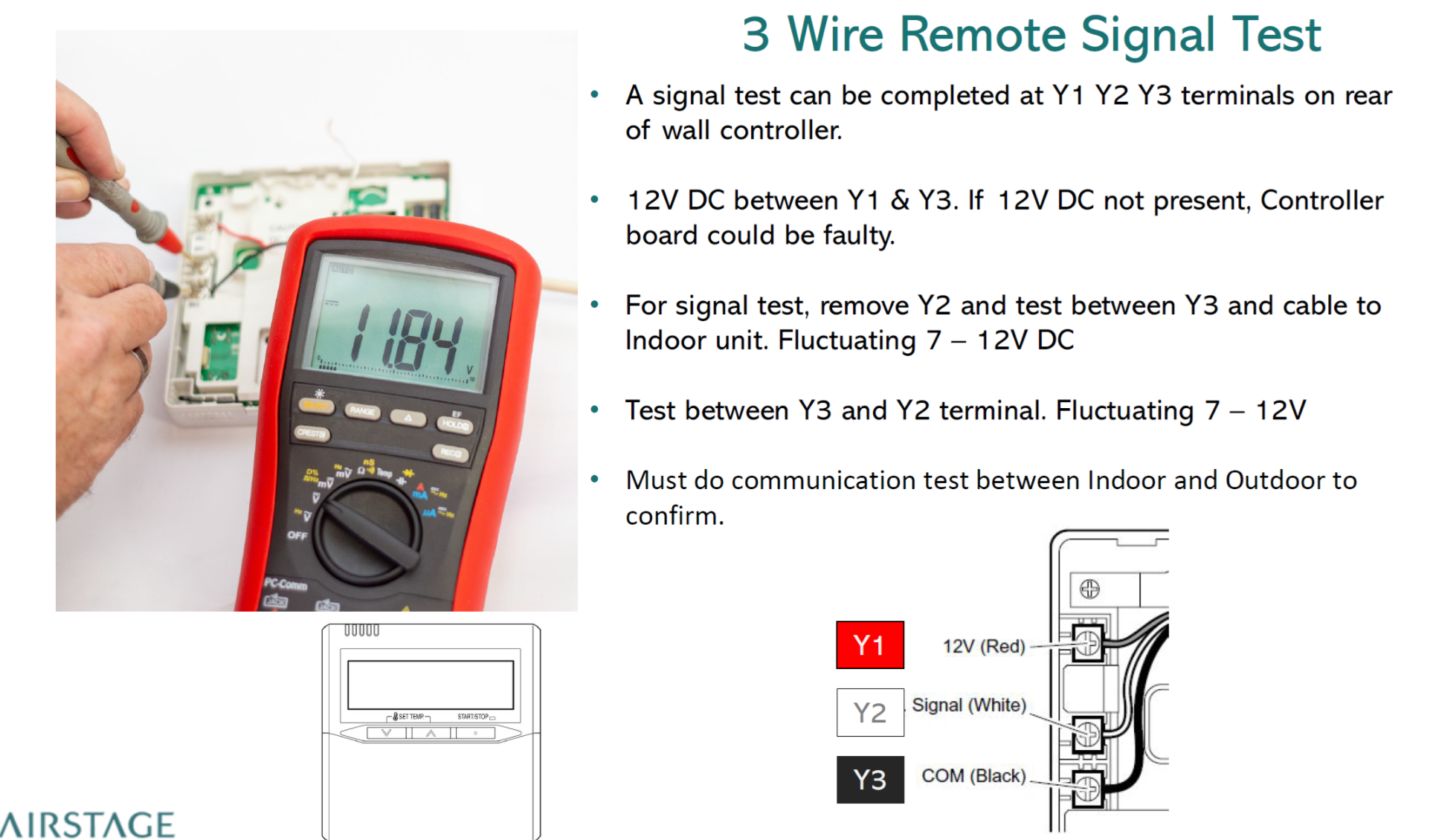
Applies to: Fujitsu wired wall controllers using 3-wire remote terminals (Y1 / Y2 / Y3), where the controller screen is blank/unpowered.
Symptom: Wired controller display is blank and unresponsive, but the system may continue operating in its last state. This can indicate the 12V DC supply from the indoor unit to the controller is missing.
Safety and Setup
- Use a DC-capable multimeter.
- Access the wired controller terminals (rear of controller) or the matching indoor unit controller terminal block.
- Confirm terminal identification: Y1 = +12V, Y2 = Signal, Y3 = COM/GND (commonly Y1 = Red, Y2 = White, Y3 = Black).
Step 1 – Supply Check (12V DC)
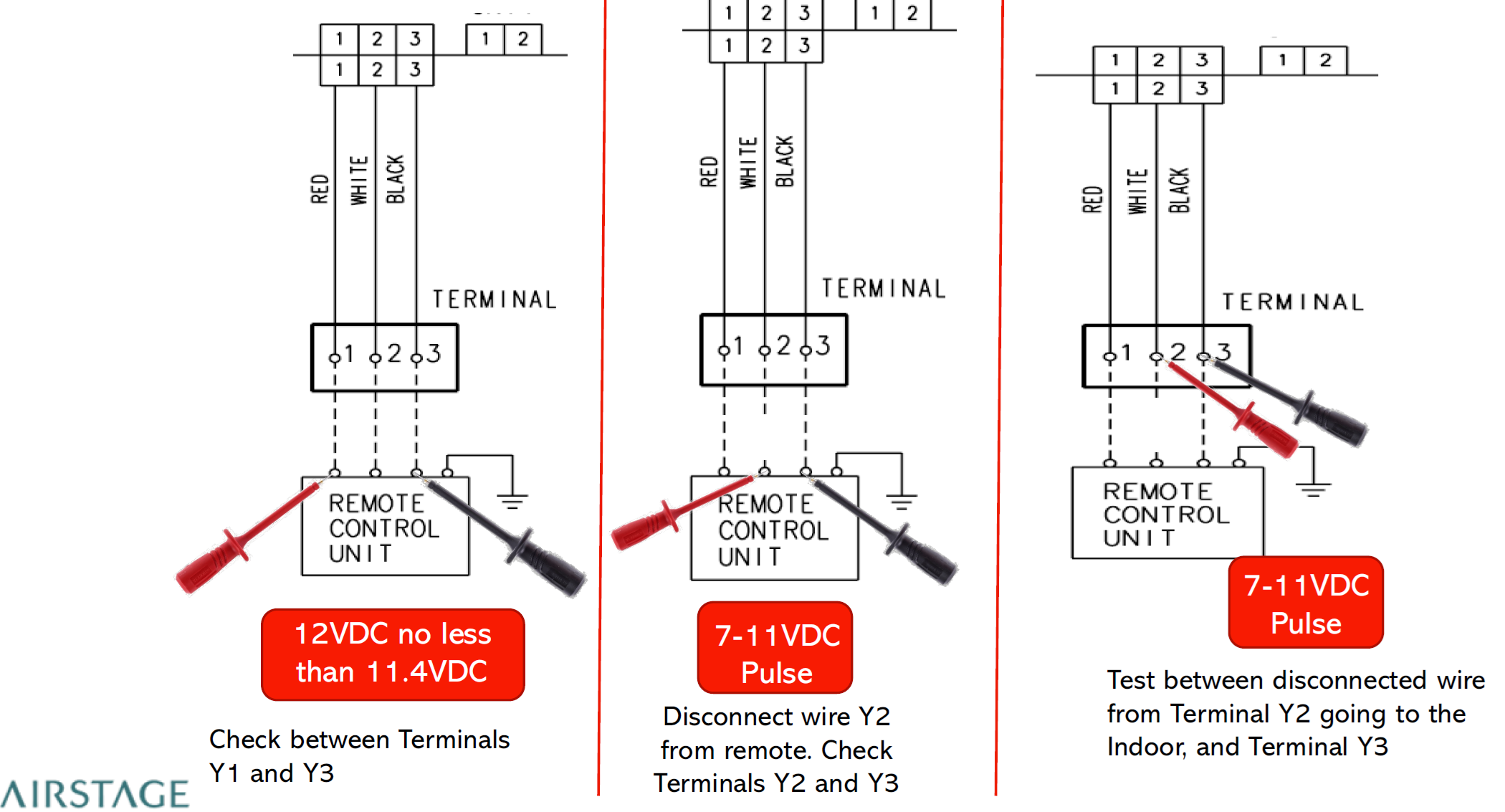
Measure DC voltage between Y1 and Y3.
- Expected result: Approximately 12V DC (must be not less than 11.4V DC).
- If 12V DC is not present: This strongly suggests the indoor controller PCB (or its 12V supply circuit) is faulty.
Step 2 – Signal Check (Pulse Test)
Disconnect/remove Y2 (signal wire) and complete both measurements below.
- Test A: Measure between Y2 and Y3at the terminal.
- Expected result: Fluctuating / pulsing approximately 7–11V DC.
- Test B: Measure between the disconnected wire from terminal Y2 going to the indoor unit and Y3.
- Expected result: Fluctuating / pulsing approximately 7–11V DC.
Step 3 – Communication Confirmation
Complete the standard indoor-to-outdoor communication test to confirm system communications integrity between the indoor and outdoor units.
Assessment / Likely Cause
- If the results align with no 12V present between Y1–Y3, the most likely next step is replacement of the indoor unit main control PCB (subject to confirmation from the above tests).
Information Required to Identify the Correct Indoor PCB Part Number
Please request the following from the customer/technician to confirm the correct indoor PCB part number:
- Indoor unit model and serial number (photo of the rating label is ideal)
- Clear photo of the indoor control PCB label/sticker (if accessible)
- Confirmation of wired controller terminal wiring at the indoor unit (Y1/Y2/Y3) and conductor colours (commonly Y1=Red, Y2=White, Y3=Black)
Keywords for Email AI Matching
Use these terms in responses and internal notes to improve AI Agent triggering:
- wired controller blank screen
- no power wired remote
- Y1 Y2 Y3
- 3-wire remote signal test
- 12V DC between Y1 and Y3
- 7–11V DC pulse between Y2 and Y3
- indoor controller PCB 12V supply